Clever Ops

Context Morph Cursor

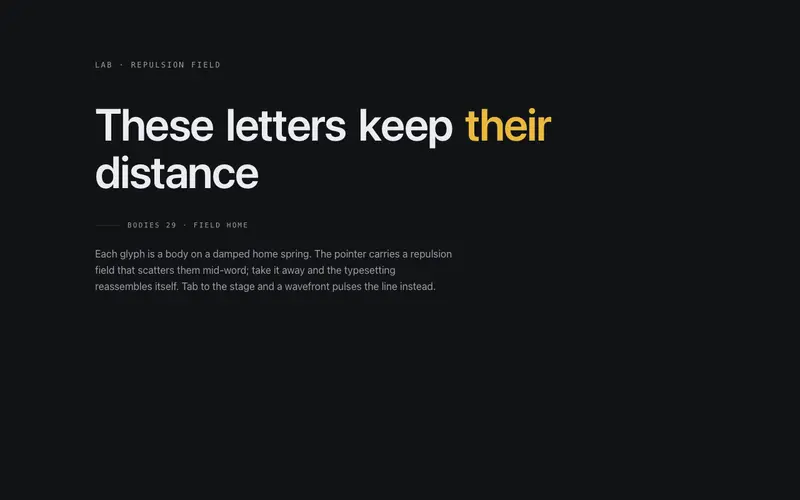
A page-level cursor companion for React, spring-morphs between caret, halo, grip, and crosshair postures from the element under the pointer. Never hides the native cursor. Tailwind tokens.

Preview & code

Loading Context Morph Cursor preview

Installation

pnpm dlx shadcn@latest add @cleverui/context-morph-cursor

Requires the @cleverui registry in your components.json, a one-off, two-line setup.

Usage

tsx
import { ContextMorphCursor } from '@/components/ui/context-morph-cursor'
Exampletsx
import { GripVertical } from 'lucide-react'
import { ContextMorphCursor } from '@/components/ui/context-morph-cursor'

const FOCUS =
  'focus-visible:ring-2 focus-visible:ring-ring focus-visible:ring-offset-2 focus-visible:ring-offset-background focus-visible:outline-hidden'

export default function ContextMorphCursorDemo() {
  return (
    <div className="relative min-h-[640px] bg-background">
      <ContextMorphCursor offset={14} showLabel />

      <div className="mx-auto max-w-5xl px-4 py-16 sm:px-6 sm:py-20">
        <p className="font-mono text-[11px] uppercase tracking-[0.2em] text-muted-foreground sm:text-xs">
          Lab · Spatial cursor
        </p>
        <h2 className="mt-3 max-w-2xl text-3xl font-semibold tracking-tight text-balance sm:text-5xl">
          One companion, four postures.
        </h2>
        <p className="mt-4 max-w-xl text-sm leading-relaxed text-muted-foreground sm:text-base">
          Move the pointer across each zone below. The companion morphs its geometry, caret over
          copy, halo over actions, grip over the crate, crosshair in the open field, while the
          native cursor stays exactly where it belongs.
        </p>

        <div className="mt-10 grid gap-4 sm:grid-cols-2">
          {/* Zone 01, copy → caret */}
          <div className="rounded-2xl border border-border/60 bg-card p-6">
            <p className="font-mono text-[11px] uppercase tracking-[0.2em] text-muted-foreground">
              Zone 01 · Copy
            </p>
            <p className="mt-4 text-sm leading-relaxed text-foreground">
              Long-form copy invites the caret. Hover any line of this paragraph and the companion
              thins into an insertion bar with serifs top and bottom, the posture a text tool
              should take before a single glyph is selected.
            </p>
          </div>

          {/* Zone 02, actions → halo */}
          <div className="rounded-2xl border border-border/60 bg-card p-6">
            <p className="font-mono text-[11px] uppercase tracking-[0.2em] text-muted-foreground">
              Zone 02 · Actions
            </p>
            <div className="mt-4 flex flex-wrap items-center gap-3">
              <button
                type="button"
                className={`rounded-lg bg-primary px-4 py-2 text-sm font-medium text-primary-foreground transition-colors hover:bg-primary/90 ${FOCUS}`}
              >
                Publish note
              </button>
              <button
                type="button"
                className={`rounded-lg border border-border/60 px-4 py-2 text-sm font-medium text-foreground transition-colors hover:border-primary/60 ${FOCUS}`}
              >
                Save draft
              </button>
              <a
                href="#changelog"
                className={`rounded-md text-sm font-medium text-foreground underline decoration-border underline-offset-4 transition-colors hover:decoration-primary ${FOCUS}`}
              >
                View changelog
              </a>
            </div>
            <p className="mt-4 text-sm leading-relaxed text-muted-foreground">
              Buttons and links pull the halo, an open circle with the accent dot held at centre.
            </p>
          </div>

          {/* Zone 03, drag + scroll region → grip */}
          <div className="rounded-2xl border border-border/60 bg-card p-6">
            <p className="font-mono text-[11px] uppercase tracking-[0.2em] text-muted-foreground">
              Zone 03 · Cargo
            </p>
            <div
              draggable
              className="mt-4 flex cursor-grab items-center gap-3 rounded-lg border border-border/60 bg-background px-4 py-3"
            >
              <GripVertical className="size-4 text-muted-foreground" aria-hidden="true" />
              <span className="text-sm font-medium text-foreground">
                Specimen crate 04, drag to re-slot
              </span>
            </div>
            <div
              data-cursor="grip"
              role="region"
              aria-label="Crate manifest"
              tabIndex={0}
              className={`mt-3 max-h-20 overflow-y-auto rounded-lg border border-border/60 bg-background px-4 py-2 ${FOCUS}`}
            >
              <ul className="space-y-1 font-mono text-[11px] text-muted-foreground tabular-nums">
                <li>CRATE 01 · Meridian Grotesk · 12 plates</li>
                <li>CRATE 02 · Register bars · 40 strips</li>
                <li>CRATE 03 · Iris stencils · 6 sheets</li>
                <li>CRATE 04 · Compass ticks · 88 pins</li>
                <li>CRATE 05 · Caret stock · 24 bars</li>
              </ul>
            </div>
          </div>

          {/* Zone 04, open field → crosshair */}
          <div className="relative overflow-hidden rounded-2xl border border-border/60 bg-muted/40 p-6">
            <p className="relative font-mono text-[11px] uppercase tracking-[0.2em] text-muted-foreground">
              Zone 04 · Open field
            </p>
            <div aria-hidden="true" className="relative mt-4 h-32">
              <span className="absolute top-0 left-0 h-3 w-px bg-border" />
              <span className="absolute top-0 left-0 h-px w-3 bg-border" />
              <span className="absolute right-0 bottom-0 h-3 w-px bg-border" />
              <span className="absolute right-0 bottom-0 h-px w-3 bg-border" />
              <span className="absolute top-1/2 left-1/2 h-px w-6 -translate-x-1/2 bg-border" />
              <span className="absolute top-1/2 left-1/2 h-6 w-px -translate-y-1/2 bg-border" />
            </div>
          </div>
        </div>
      </div>
    </div>
  )
}

The example itself also uses lucide-react , install it too if you copy the example as-is (the component itself does not need it).

API reference

ContextMorphCursor accepts the following props.

PropTypeDefaultDescription
offsetnumber14offset from the native cursor in px, the companion rides alongside (default 14)
scalenumber1overall glyph scale (clamped 0.75–1.5)
showLabelbooleantruemono context readout under the glyph

…plus everything from React.HTMLAttributes<HTMLDivElement>: className, event handlers, aria attributes and the rest pass straight through.

Frequently asked questions

How do I install the Context Morph Cursor component?

Register the @cleverui registry in your components.json ("@cleverui": "https://cleverops.com.au/r/{name}.json"), then run `npx shadcn@latest add @cleverui/context-morph-cursor`. The shadcn CLI copies the source into your project, you own the code from that point. You can also copy the source directly from this page.

What dependencies does Context Morph Cursor require?

Context Morph Cursor uses motion on top of React and Tailwind CSS. You don't need to install it manually, the shadcn CLI resolves and installs npm dependencies automatically when you add the component.

Can I theme Context Morph Cursor to match my brand?

Yes. The component is styled entirely with Tailwind utilities over standard design tokens (primary, background, muted, border), so it inherits your existing shadcn/ui theme automatically. Change your CSS variables and the component follows, no source edits needed for palette, radius, or fonts.

Want this built for you?

CleverUI is built by the Clever Ops web team. If you'd rather ship a hand-coded, fast, custom website than assemble one, we build them for Australian businesses every week.

Explore web development services