Free React Medical & Health Clinic Components
Patients arrive at a clinic website anxious, and most medical sites answer with stock photos and jargon. These components answer the actual questions: which appointment should I book, who will I see, what will it cost with rebates, what happens at my first visit, how do I get my results, and how do video consults work. There is a practitioner directory, clinic locations strip, patient info bar, and a gentle FAQ, all written in the reassuring, plain-English register that good practice managers insist on.
12 components · MIT licensed · installable with the shadcn CLI
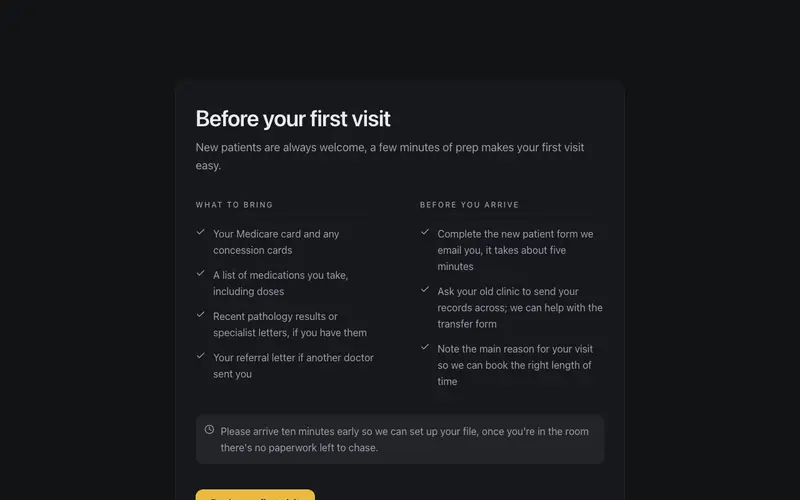
Before Your First Visit
First-visit checklist for new patients, what to bring and what to do beforehand in two calm columns, with an arrive-early aside. Plain-language React and Tailwind onboarding for clinics.
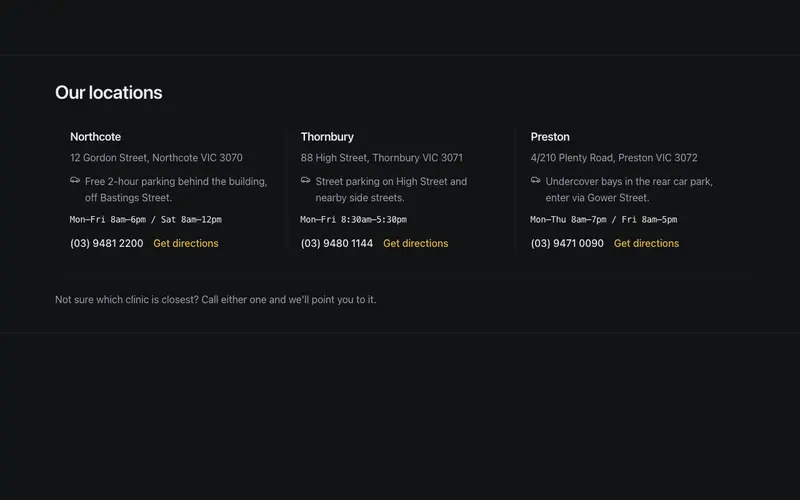
Clinic Locations Strip
Multi-location clinic strip, suburb name, plain street address, a practical parking note, and an hours snippet in quiet mono per location, closed by one gentle closest-to-you hint.
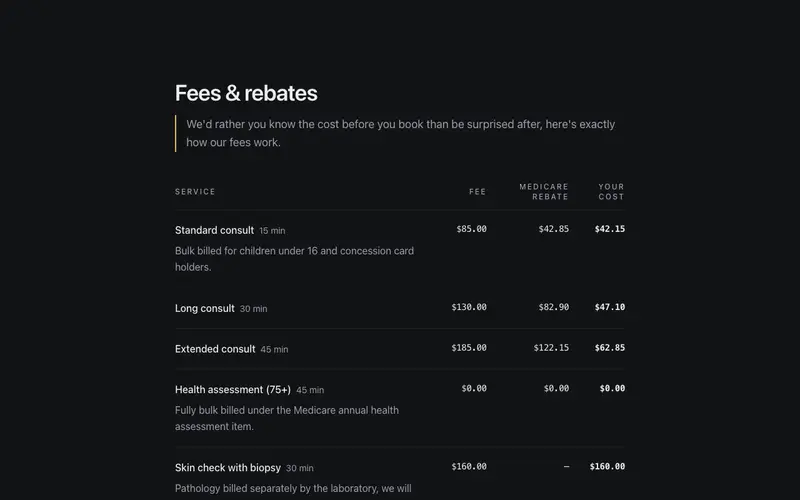
Fees & Rebates
An honest fee transparency table, consult fee, Medicare rebate, and the out-of-pocket gap in true table semantics with tabular figures. React and Tailwind disclosure for clinics.
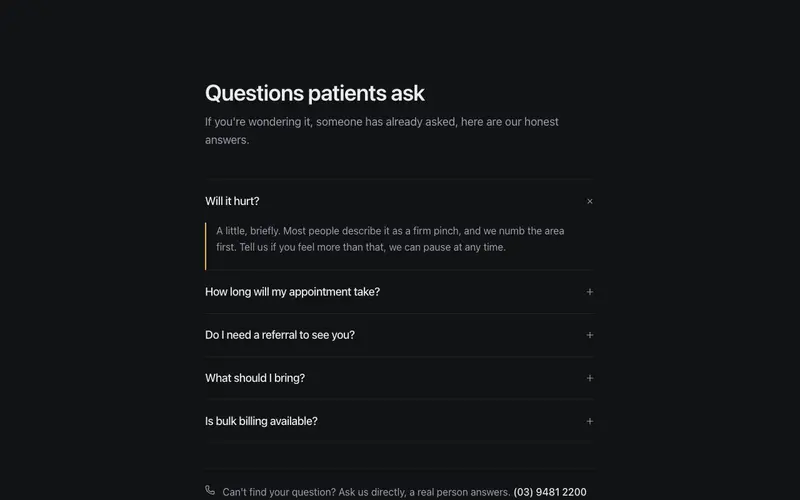
Gentle Health FAQ
Patient FAQ in a reassuring register, honest plain-language answers to questions like will it hurt, real disclosure semantics over calm hairline rows, and an ask-us-directly phone fallback.
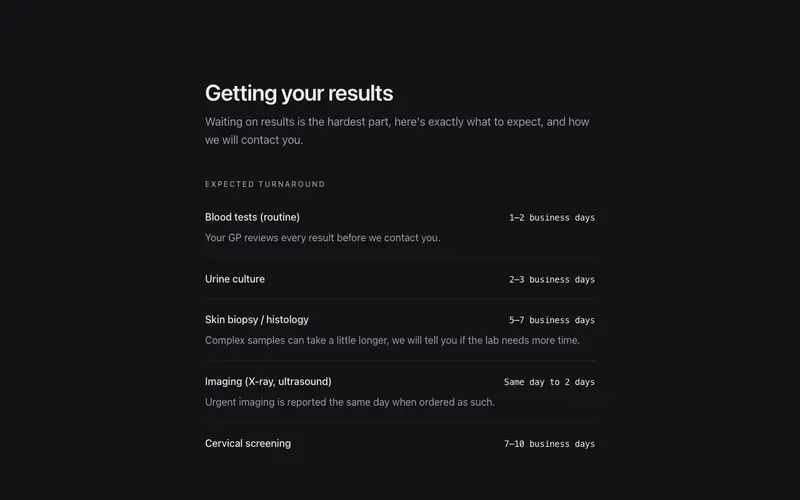
Getting Your Results
What happens after your test, turnaround windows per result type, how the clinic contacts you, and an every-result-is-followed-up promise. A calm React and Tailwind panel for clinics.
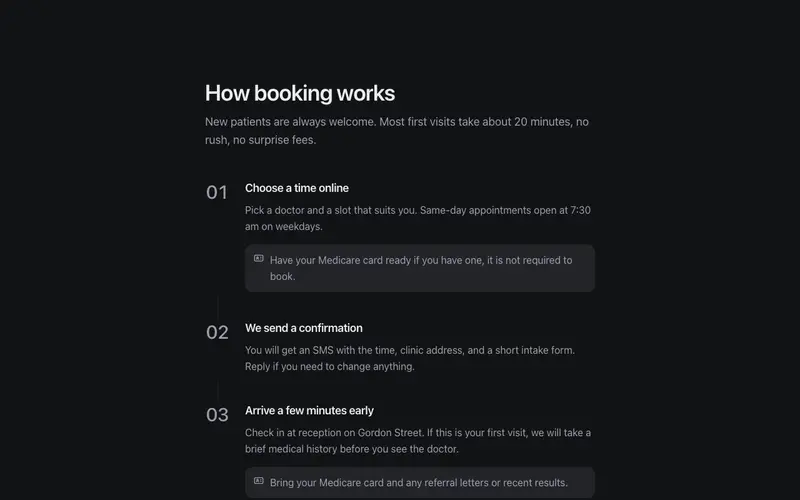
How Booking Works
How booking works in three or four numbered steps, plain reassuring language, near-still motion, and practical notes like bring your Medicare card. Calm from first click to consult.
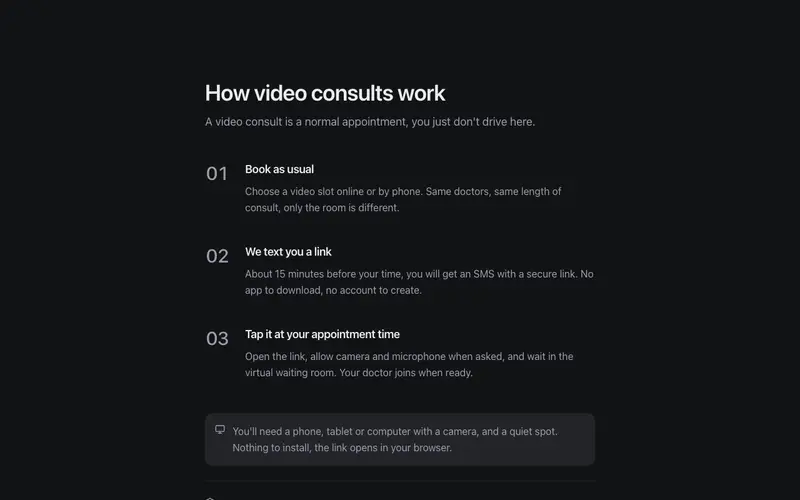
How Video Consults Work
Video consults demystified in three calm steps, a plain-language tech-requirements note, a quiet privacy assurance line, and zero jargon. The panel that makes telehealth feel ordinary.
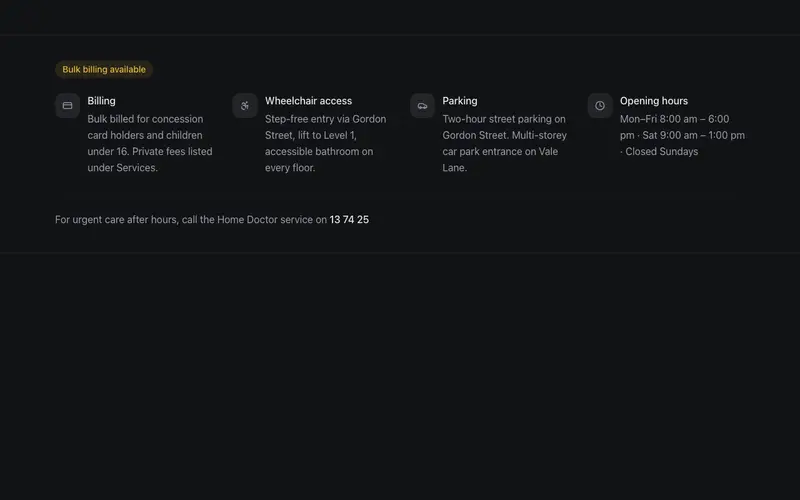
Patient Info Bar
The practical strip patients actually need, bulk-billing badge, accessibility notes, parking, and the after-hours line, set with the same care most sites reserve for heroes.
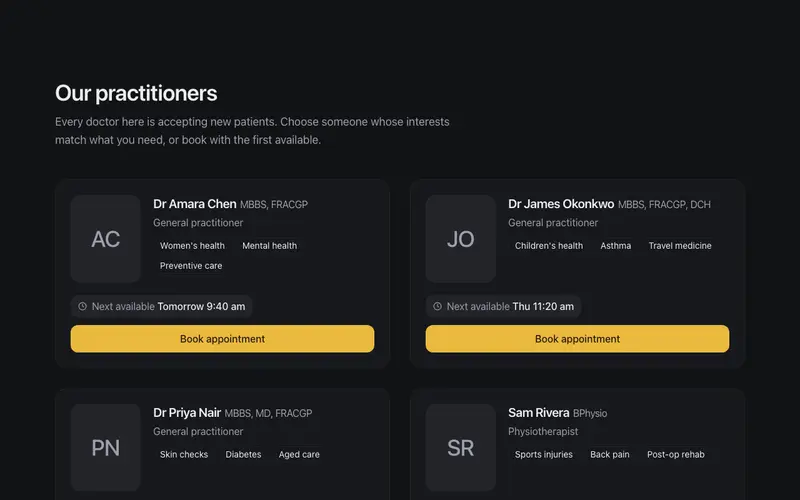
Practitioner Directory
Clinician cards with real credential lines, special-interest tags, and a next-available chip, the calm, plain-language way patients choose who to see.
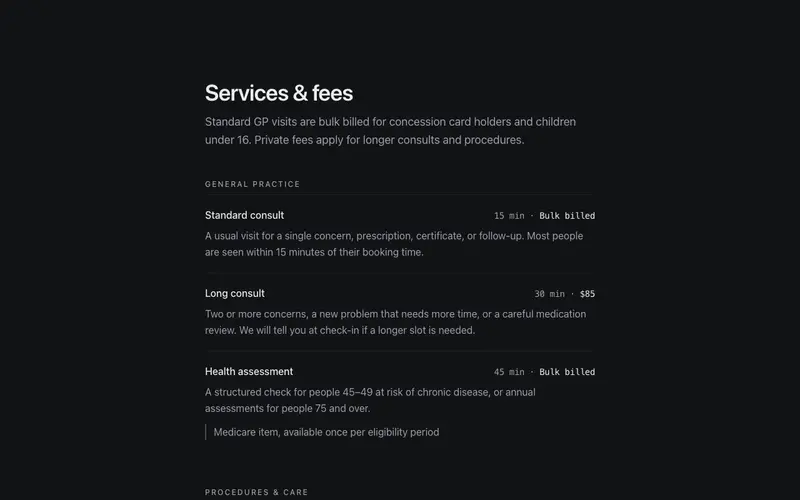
Services & Fees
Clinic services set with menu discipline, plain-language descriptions, consult length and fee in tabular figures, and quiet notes like GP referral required. Zero jargon, high clarity.
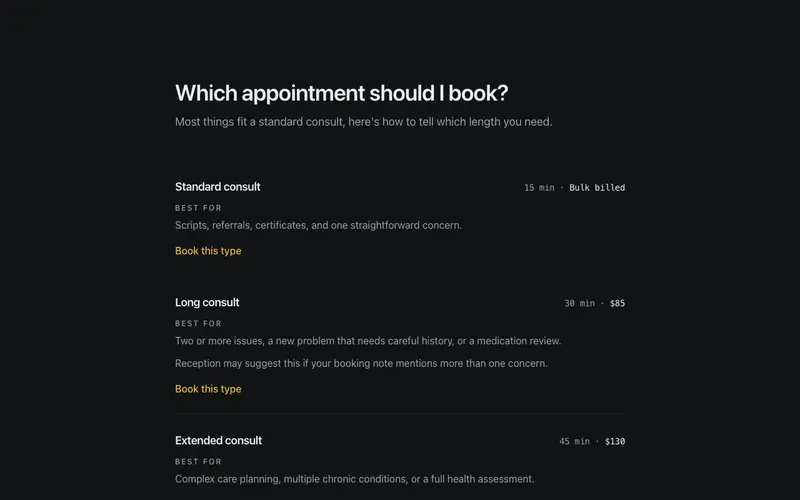
Which Appointment Should I Book?
Consult types compared in plain language, length and fee in quiet figures, an honest best-for line each, and a calm not-sure fallback. A React and Tailwind decision aid for clinics.
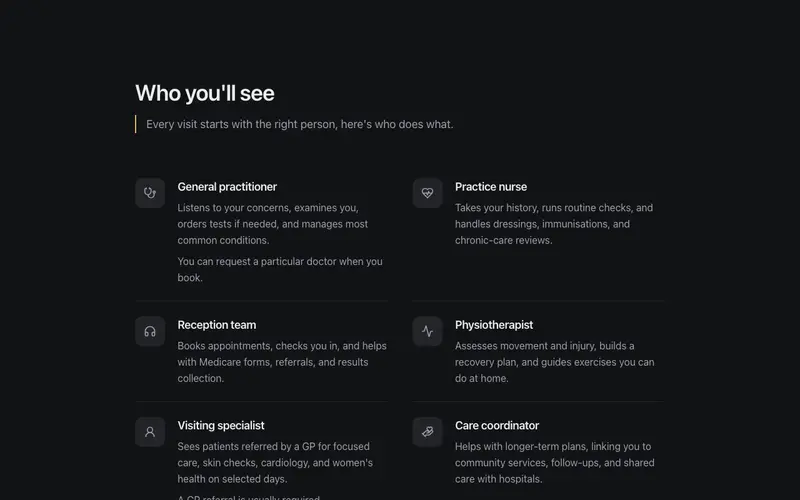
Who You'll See
A who-you'll-see panel pairing practitioner roles, GP, practice nurse, physio, with plain one-line explanations of what each actually does, demystifying the visit before it happens.
Frequently asked questions
Are these components suitable for allied health and dental, not just GPs?
Yes, physio, psychology, dental, podiatry, and specialist clinics all share the same patient questions. The fees-and-rebates component handles Medicare, private health, and gap language, and every label is a prop you can rewrite for your modality.
Do the booking components integrate with HotDoc or HealthEngine?
They link to whatever booking system you use, each CTA takes a plain URL, so HotDoc, HealthEngine, Halaxy, or your phone number all work. The components handle the pre-booking reassurance; your booking platform handles the calendar.
Is any patient data handled by these components?
No. They are static presentation components, no forms that collect health information, no tracking. Anything involving patient data should live in your practice software behind proper consent, not in marketing components.