ASCII Liquid Field
A monospace glyph grid flowing like liquid, a seeded scalar field advects through a curl flow, crests ink in the accent, pointer drags stir it. Self-idling React + Tailwind canvas background.
Preview & code
Installation
pnpm dlx shadcn@latest add @cleverui/ascii-liquid-fieldRequires the @cleverui registry in your components.json, a one-off, two-line setup.
Usage
API reference
AsciiLiquidField accepts the following props.
…plus everything from React.HTMLAttributes<HTMLDivElement>: className, event handlers, aria attributes and the rest pass straight through.
Related components

Voronoi Membrane
A living cell membrane for React, Lloyd-relaxed voronoi walls drawn as canvas hairlines breathe imperceptibly while pointer pressure tenses them; one seeded cell carries the Tailwind primary tint.

Contour Drift
A living topographic survey sheet: seeded simplex terrain drifts like weather under marching-squares contour hairlines, one surveyed band lit in primary, the cursor gently swelling the land.

Ink Dynamics
A real-time stable-fluids ink field for hero sections: the pointer stirs pigment that curls, swirls and slowly settles, token-inked over paper, with a designed still for reduced motion.
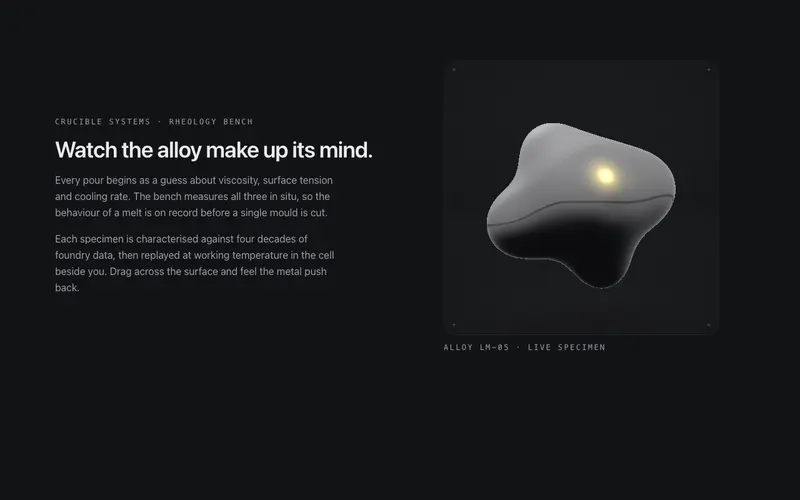
Liquid Metal
A contained WebGL specimen cell (ogl) of raymarched liquid chrome: metaballs breathe and orbit, the pointer dents the surface, and the studio environment is derived live from theme tokens.
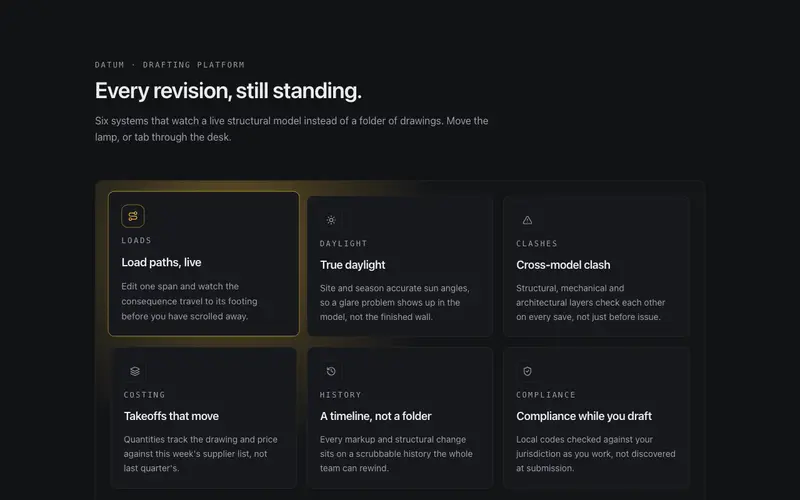
Lumen Cast
A cursor-driven lamp over a feature grid. Canvas 2D casts soft real-time shadows from every tile, near tiles lift toward the light, and keyboard focus steers the lamp for equal access.

Magnetic Field
A multi-body magnetic link field for React, the pointer pulls chips, displaced bodies shoulder neighbours aside, springs carry the system home. Keyboard drives the same physics. Tailwind-themed.
Frequently asked questions
How do I install the ASCII Liquid Field component?
Register the @cleverui registry in your components.json ("@cleverui": "https://cleverops.com.au/r/{name}.json"), then run `npx shadcn@latest add @cleverui/ascii-liquid-field`. The shadcn CLI copies the source into your project, you own the code from that point. You can also copy the source directly from this page.
What dependencies does ASCII Liquid Field require?
ASCII Liquid Field has no npm dependencies beyond React and Tailwind CSS itself, so there is nothing extra to install or keep updated.
Can I theme ASCII Liquid Field to match my brand?
Yes. The component is styled entirely with Tailwind utilities over standard design tokens (primary, background, muted, border), so it inherits your existing shadcn/ui theme automatically. Change your CSS variables and the component follows, no source edits needed for palette, radius, or fonts.
Want this built for you?
CleverUI is built by the Clever Ops web team. If you'd rather ship a hand-coded, fast, custom website than assemble one, we build them for Australian businesses every week.
Explore web development services