Clever Ops

FAQ Inline Search

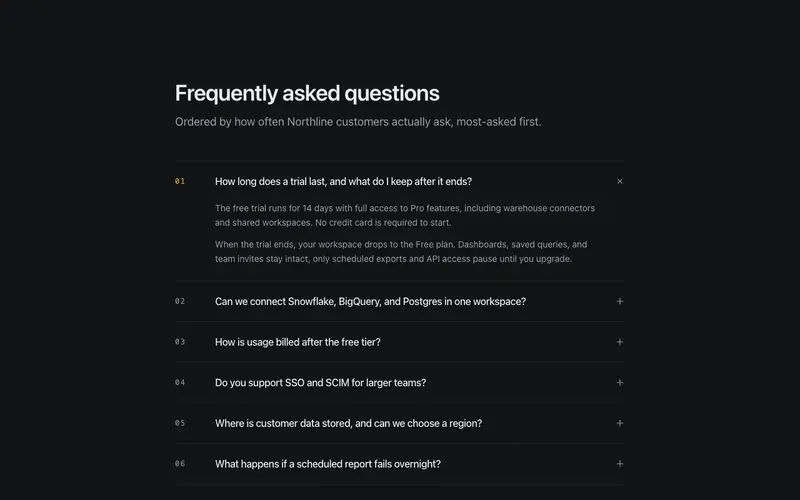
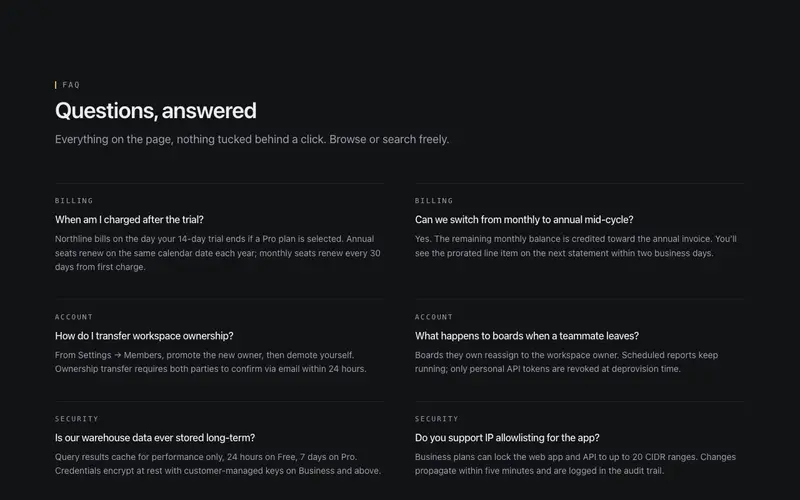
Searchable FAQ section for React, type-to-filter with live match highlighting, a mono result count, and an empty state that hands off to support. Tailwind hairline rows, no search backend.

Preview & code

Loading FAQ Inline Search preview

Installation

pnpm dlx shadcn@latest add @cleverui/faq-inline-search

Requires the @cleverui registry in your components.json, a one-off, two-line setup.

Usage

tsx
import { FaqInlineSearch } from '@/components/blocks/faq-inline-search'
Exampletsx
import { FaqInlineSearch } from '@/components/blocks/faq-inline-search'

export default function FaqInlineSearchDemo() {
  return (
    <div className="mx-auto w-full">
      <FaqInlineSearch
        heading="How can we help?"
        intro="Start typing, the answers filter as you go."
        placeholder="Search questions"
        emptyNote="No answers match that yet."
        emptyAction={{
          label: 'Ask us directly',
          href: 'mailto:help@northbeam.app',
        }}
        items={[
          {
            question: 'How do I cancel my subscription mid-cycle?',
            answer:
              'Open Settings → Billing → Cancel plan. Access continues through the end of the paid period; we never charge a cancellation fee. Export your boards before the period ends if you want offline copies.',
            keywords: ['refund', 'cancel', 'unsubscribe'],
          },
          {
            question: 'When will I receive a refund after downgrading?',
            answer:
              'Unused seats on annual plans credit to your next invoice within two business days. Cash refunds for monthly plans post to the original payment method in 5–10 business days depending on your bank.',
            keywords: ['refund', 'downgrade', 'credit'],
          },
          {
            question: 'Can I invite a contractor without a paid seat?',
            answer:
              'Yes, add them as a Viewer. Viewers are free and unlimited, can comment on boards, and cannot edit queries or change workspace settings. Promote to Editor when they need write access.',
            keywords: ['invite', 'viewer', 'guest', 'contractor'],
          },
          {
            question: 'How do warehouse connectors authenticate?',
            answer:
              'We support service accounts, key-pair rotation, and OAuth where the vendor offers it. Credentials are encrypted at rest with per-workspace keys and never appear in query logs or support exports.',
            keywords: ['security', 'auth', 'credentials', 'sso'],
          },
          {
            question: 'What is included in the free trial?',
            answer:
              'Fourteen days of Pro: every connector, scheduled exports, shared workspaces, and the public API. No credit card required. When the trial ends, the workspace quietly drops to Free with your data intact.',
            keywords: ['trial', 'free', 'pro'],
          },
          {
            question: 'Do you offer a signed BAA for healthcare data?',
            answer:
              'A BAA ships on Enterprise along with custom retention windows and dedicated support. Contact sales@northbeam.app with your compliance checklist and target go-live date.',
            keywords: ['hipaa', 'baa', 'healthcare', 'compliance'],
          },
          {
            question: 'How are overage query minutes billed?',
            answer:
              'Pro includes 40,000 query minutes per month. Overage is $0.012 per minute, itemized on the next invoice. We email workspace owners at 80% and 100% of the included pool.',
            keywords: ['billing', 'usage', 'overage', 'minutes'],
          },
          {
            question: 'Can we run the private connector inside our VPC?',
            answer:
              'Yes. The private connector is a small agent you deploy in your network; warehouse credentials never leave your VPC. Setup takes under an hour with our Terraform module for AWS and GCP.',
            keywords: ['vpc', 'private', 'connector', 'network'],
          },
          {
            question: 'How do I export a board as PDF or CSV?',
            answer:
              'From any board, open Share → Export. PDF captures the current layout; CSV dumps the underlying result set for each tile. Scheduled exports to S3 or email are available on Pro and above.',
            keywords: ['export', 'pdf', 'csv', 'download'],
          },
          {
            question: 'What regions can we choose for data residency?',
            answer:
              'Pick us-east-1, eu-west-1, or ap-southeast-2 at signup. Changing region later requires a support-assisted migration so we can re-encrypt caches in the new location.',
            keywords: ['region', 'residency', 'gdpr', 'data'],
          },
          {
            question: 'How do SCIM and SSO work together?',
            answer:
              'SSO handles sign-in; SCIM provisions and deprovisions seats from your IdP. Both ship on Business and Enterprise. We document Okta, Azure AD, and Google Workspace end-to-end.',
            keywords: ['scim', 'sso', 'okta', 'provisioning'],
          },
          {
            question: 'Who gets paged when a scheduled report fails?',
            answer:
              'Owners listed on the board, plus any escalation channel configured in Settings → Alerts. Failed runs retry twice with backoff, then page with the failing step and a one-click re-run action.',
            keywords: ['alerts', 'paging', 'schedule', 'failure'],
          },
          {
            question: 'Is there a student or nonprofit discount?',
            answer:
              'Accredited nonprofits and universities receive 40% off Pro annual seats. Email education@northbeam.app with proof of status; approval usually lands within two business days.',
            keywords: ['discount', 'nonprofit', 'education', 'student'],
          },
          {
            question: 'How do I delete a workspace permanently?',
            answer:
              'Settings → Danger zone → Delete workspace. We soft-delete for 14 days so you can recover a mistake, then purge boards, caches, and credentials. Export first if you need an archive.',
            keywords: ['delete', 'purge', 'close account'],
          },
        ]}
      />
    </div>
  )
}

API reference

FaqInlineSearch accepts the following props.

PropTypeDefaultDescription
headingstring'How can we help?'
introstringone sentence setting expectations for the filter
placeholderstring'Search questions'search input placeholder; the input also carries a visible label
items*FaqInlineSearchItem[]
initialQuerystring''query rendered on first paint, SSR renders the already-filtered list
emptyNotestring'No answers match that yet.'first line of the empty state
emptyAction{ label: string; href: string }escape hatch under the empty state
headingLevel2 | 32

…plus everything from React.HTMLAttributes<HTMLElement>: className, event handlers, aria attributes and the rest pass straight through.

Referenced types

Typestsx
export interface FaqInlineSearchItem {
  question: string
  answer: string
  /** extend matching beyond visible text, e.g. ['refund', 'cancel'] */
  keywords?: string[]
}

Frequently asked questions

How do I install the FAQ Inline Search component?

Register the @cleverui registry in your components.json ("@cleverui": "https://cleverops.com.au/r/{name}.json"), then run `npx shadcn@latest add @cleverui/faq-inline-search`. The shadcn CLI copies the source into your project, you own the code from that point. You can also copy the source directly from this page.

What dependencies does FAQ Inline Search require?

FAQ Inline Search uses motion and lucide-react on top of React and Tailwind CSS. You don't need to install them manually, the shadcn CLI resolves and installs npm dependencies automatically when you add the component.

Can I theme FAQ Inline Search to match my brand?

Yes. The component is styled entirely with Tailwind utilities over standard design tokens (primary, background, muted, border), so it inherits your existing shadcn/ui theme automatically. Change your CSS variables and the component follows, no source edits needed for palette, radius, or fonts.

Want this built for you?

CleverUI is built by the Clever Ops web team. If you'd rather ship a hand-coded, fast, custom website than assemble one, we build them for Australian businesses every week.

Explore web development services