Ripple Grid
The page hides a dot lattice that only motion reveals, dots surface near the pointer while movement pumps rings of brightness rippling outward through the grid before it sleeps again.
Preview & code
Installation
pnpm dlx shadcn@latest add @cleverui/cursor-ripple-gridRequires the @cleverui registry in your components.json, a one-off, two-line setup.
Usage
API reference
CursorRippleGrid accepts the following props.
…plus everything from React.HTMLAttributes<HTMLDivElement>: className, event handlers, aria attributes and the rest pass straight through.
Related components

Echo Rings
Every click drops a stone in the page, concentric hairline rings ripple out from the point and dissolve, with a soft accent pulse at the center. Sonar for the UI.

Ink Comet
The cursor tows a comet of ink, a canvas particle tail that thickens with speed, sheds droplets on hard turns, and dries to nothing when you stop.

Quill Stroke
The pointer becomes a broad-nib quill, one continuous ink ribbon whose width swells and thins with speed and stroke direction, drying from the tail. Calligraphy physics, not confetti.
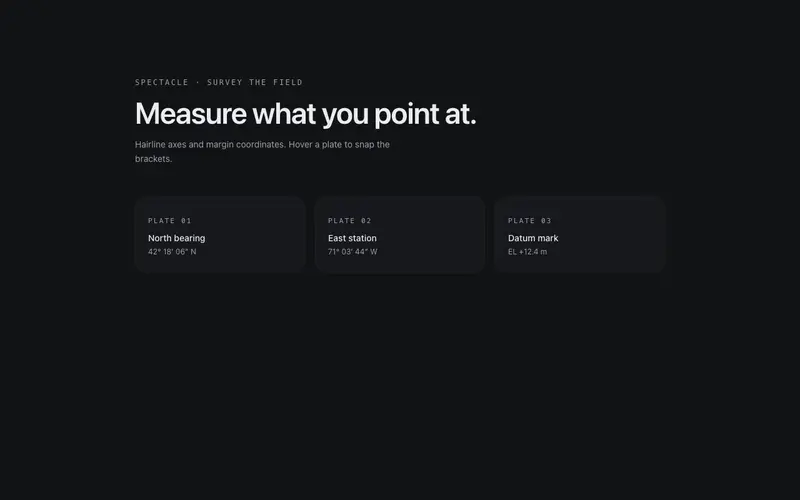
Survey Crosshair
Full-viewport drafting crosshair, hairline axes track the pointer with mono coordinate readouts in the margins, and hovering targets snaps brackets around them.

Drafting Arm
A drafting-machine arm bolted to the viewport corner reaches the pointer, two hairline links solved by real IK, joint discs, and spring lag. React page companion on Tailwind tokens.

Pointer Galvanometer
A docked galvanometer meters the pointer, a ballistic needle kicks across a graduated arc with cursor speed, a primary peak-hold tick decays behind it. React + Tailwind tokens.
Frequently asked questions
How do I install the Ripple Grid component?
Register the @cleverui registry in your components.json ("@cleverui": "https://cleverops.com.au/r/{name}.json"), then run `npx shadcn@latest add @cleverui/cursor-ripple-grid`. The shadcn CLI copies the source into your project, you own the code from that point. You can also copy the source directly from this page.
What dependencies does Ripple Grid require?
Ripple Grid has no npm dependencies beyond React and Tailwind CSS itself, so there is nothing extra to install or keep updated.
Can I theme Ripple Grid to match my brand?
Yes. The component is styled entirely with Tailwind utilities over standard design tokens (primary, background, muted, border), so it inherits your existing shadcn/ui theme automatically. Change your CSS variables and the component follows, no source edits needed for palette, radius, or fonts.
Want this built for you?
CleverUI is built by the Clever Ops web team. If you'd rather ship a hand-coded, fast, custom website than assemble one, we build them for Australian businesses every week.
Explore web development services